








How to Update the Email Linked to Your Phemex Account
You can now update your account email directly through the Account Security page—no manual assistance required. Please follow the steps below:
-
Log in to your Phemex account and navigate to:
Account Security → Email Verification → Change
Make sure you are logged into your Main Account, as email changes are not supported for sub-accounts.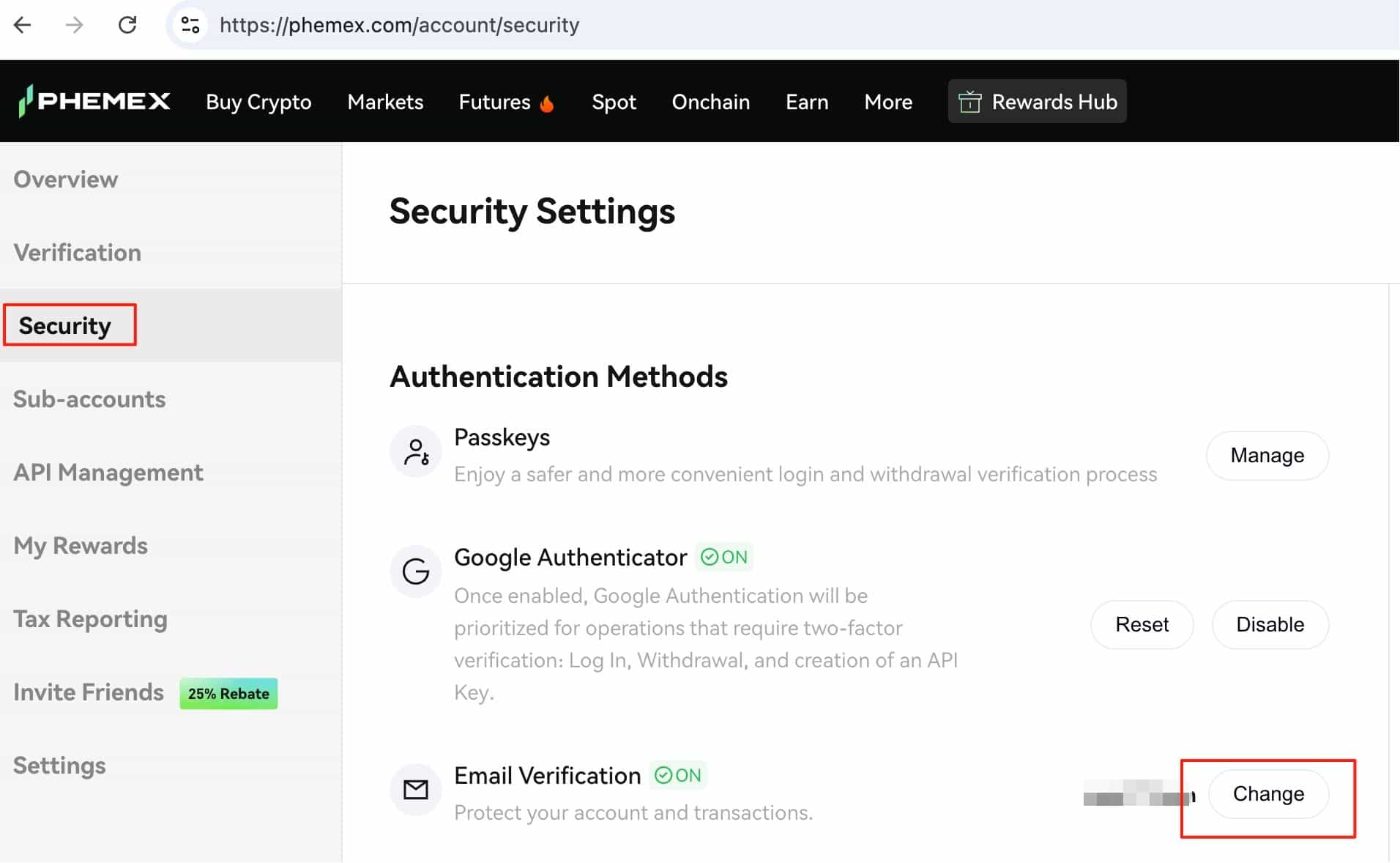
-
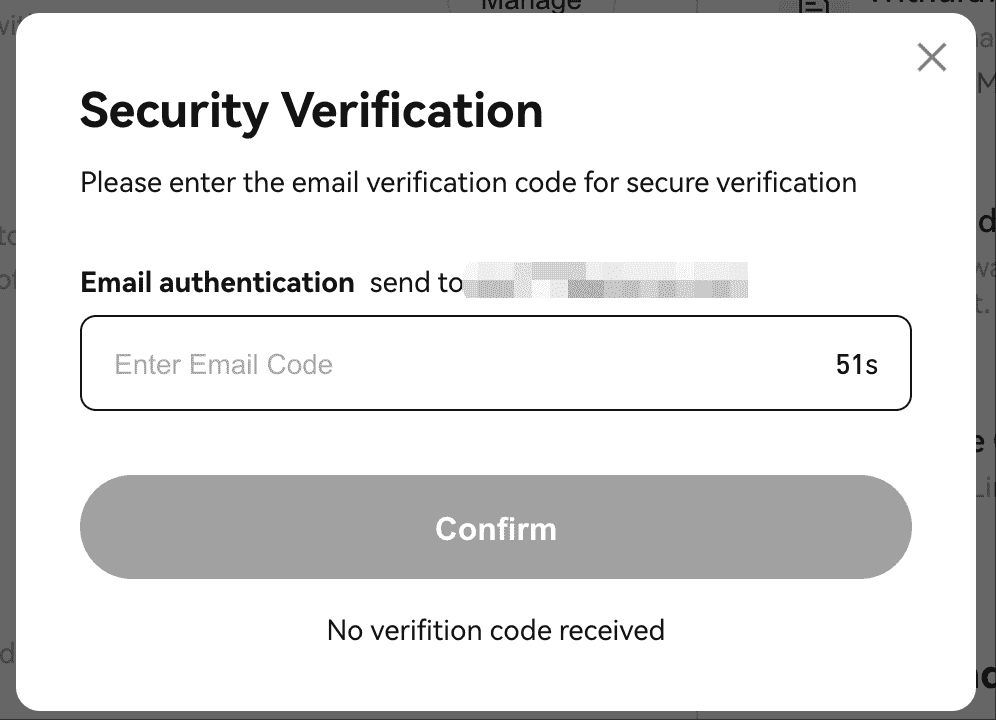
Verify your identity using the authentication method prompted (e.g., 2FA or Passkey).
-
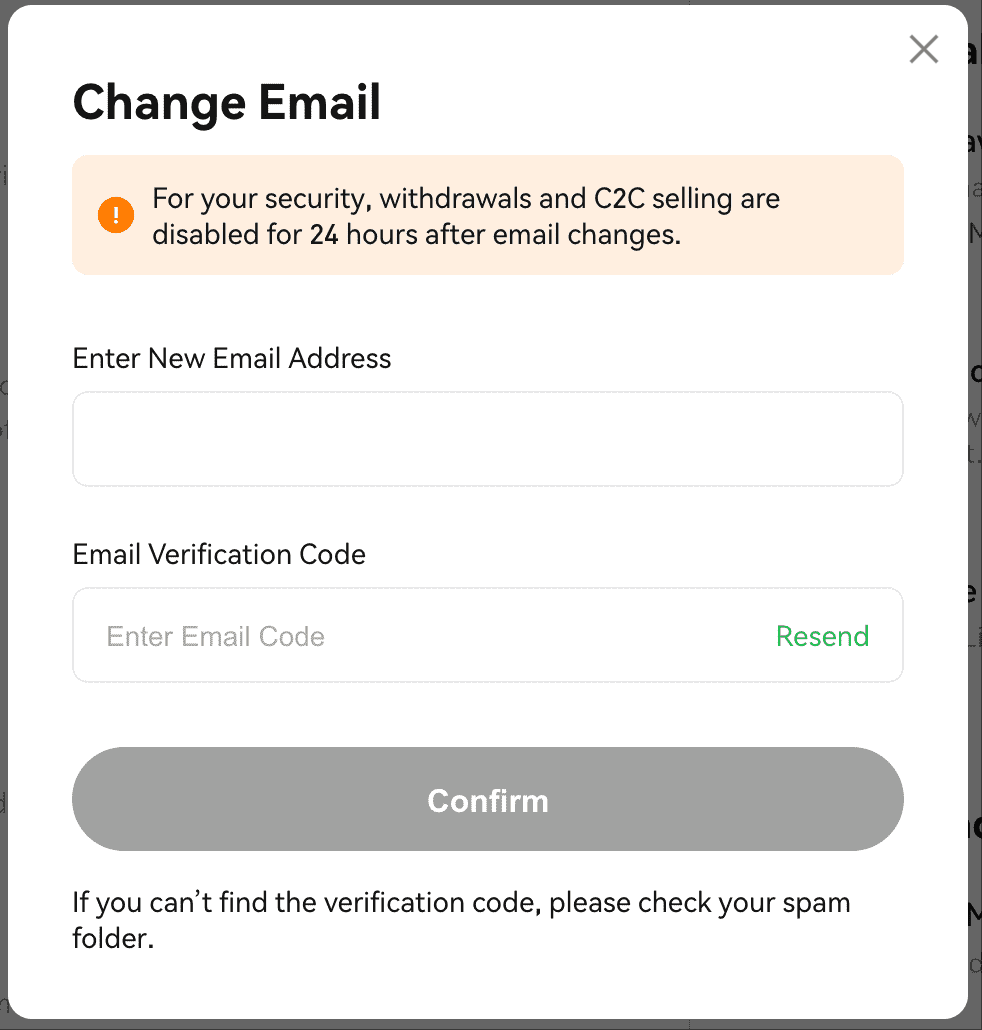
Enter your new email address and confirm it using the verification code sent to that email.
Important Notes:
-
Withdrawals will be temporarily locked for 24 hours after a successful email change for security purposes.
-
The original email cannot be used to register another Phemex account for 30 days.
How to Update Your Email if You Cannot Access Your Original Email
If your account does not have 2FA and you no longer have access to your registered email, please follow these steps:
-
Log in using an alternative method already linked to your account. If you haven’t set one up yet, you can do so now using:
-
Wallet login
-
Google
-
Telegram
-
X (Twitter)
-
Apple ID
-
-
Bind a 2FA method (e.g., Google Authenticator) or a passkey to secure your account.
-
Navigate to: Account Security → Email Verification → Change
-
Verify your identity using the newly bound 2FA or another available authentication method (such as a passkey).
-
Once verified, enter your new email address and confirm it using the verification code sent to that email.
Important Notes:
-
Withdrawals will be temporarily locked for 24 hours after a successful email change for security reasons.
-
The original email cannot be used to register a new Phemex account for 30 days.
If none of the above methods work for you, please email our support team at support@phemex.com. We’ll be happy to assist you with the manual process.
 Submit Ticket