








What Is Futures Grid Bots?
Futures grid trading bots are now available to use for Phemex contracts. They’re open to all and free to use! With futures grid trading bots, you can automatically execute buy and sell orders for futures contracts at customized preset prices and take advantage of market movements.
To learn more about the concept of trading bots, check out the Help Center article What are Crypto Trading Bots .
How to use Futures Grid Bots?
Here's how to access and use trading bots on the Phemex App:
-
Open the Phemex App and either register or log in to your account.
-
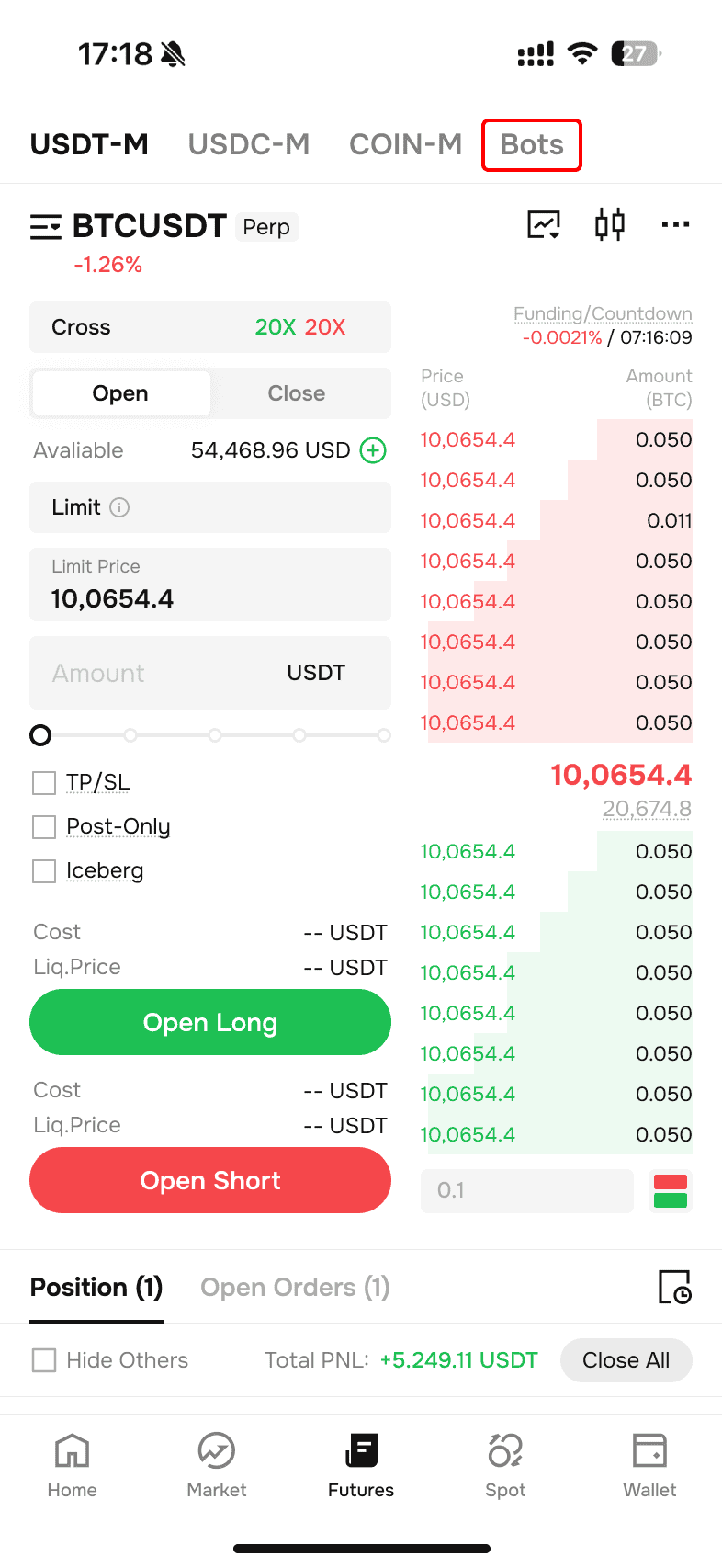
Tap on the 'Bots' icon located at the top of the Futures Trading Page.
-
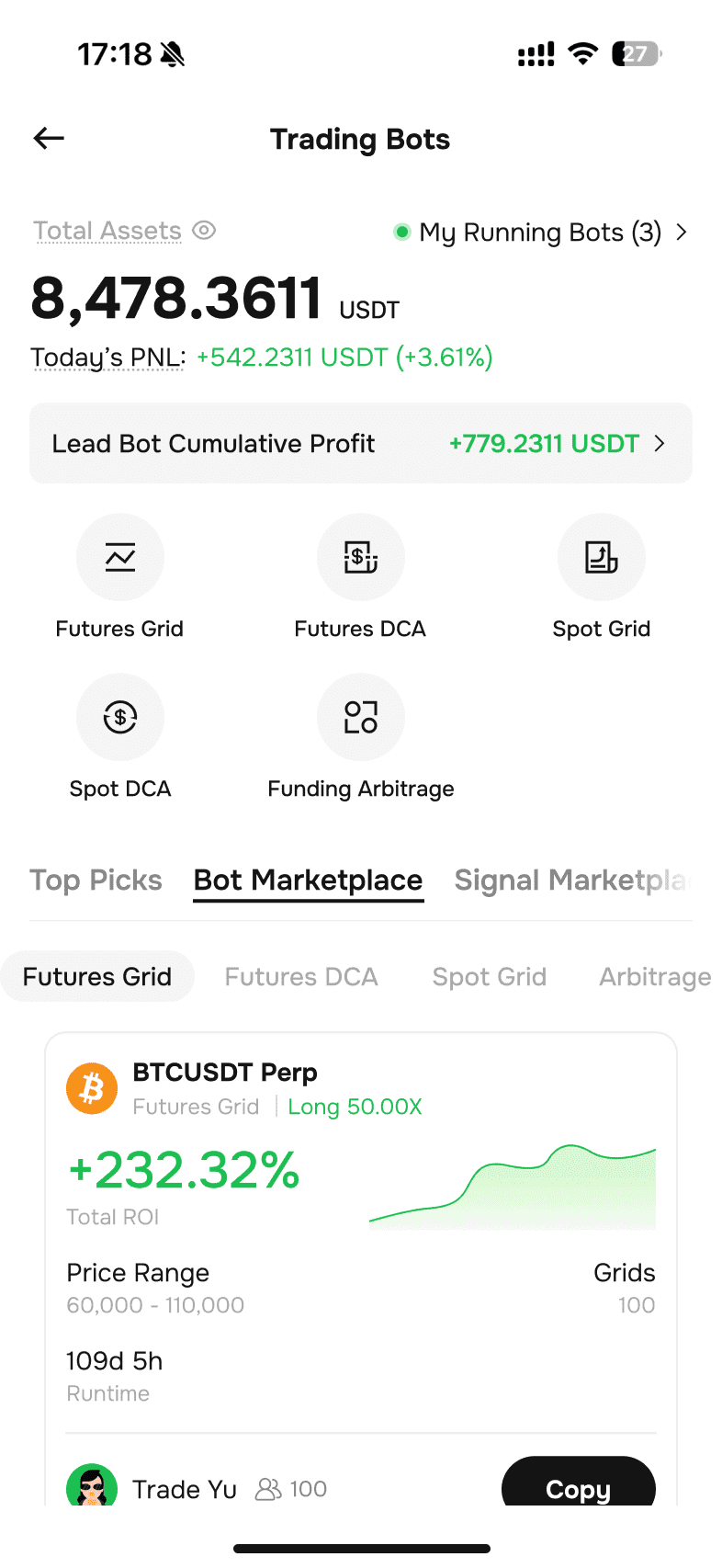
When you’re on the trading bots page, you can browse the Bot Marketplace for an existing bot that you believe fulfills your strategic requirements. If you find one you like, click “Copy”.
-
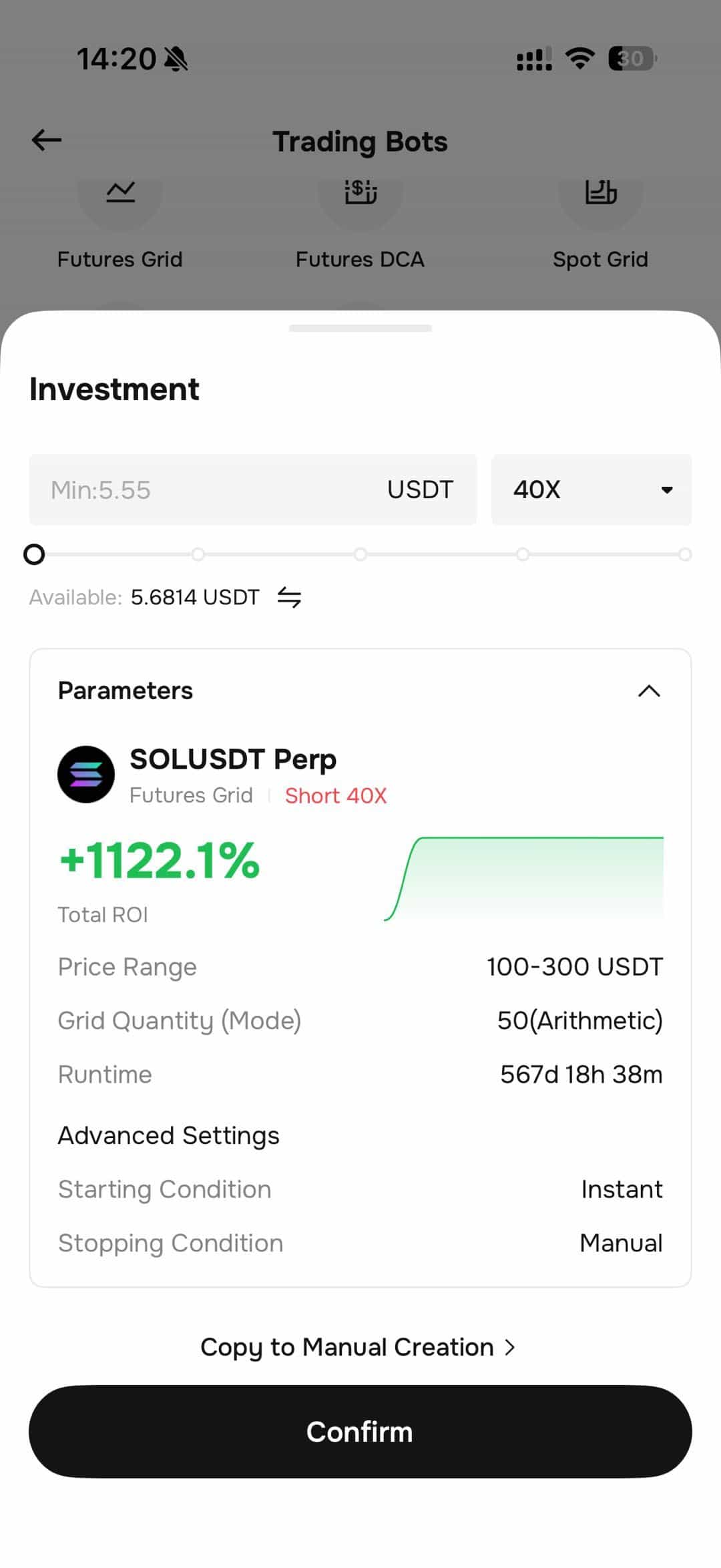
When you select “Futures Grid” on the Trading Bots page, you’ll be directed to the specific parameters of the trading bot you chose to copy, including highest price, lowest price, and grid quantity. Verify that all the parameters are to your liking, or edit them as needed. When you’re happy with the parameters, input an investment amount. Click “Create” and then click “Confirm”. This grid trading bot will be activated with the preset parameters.
-
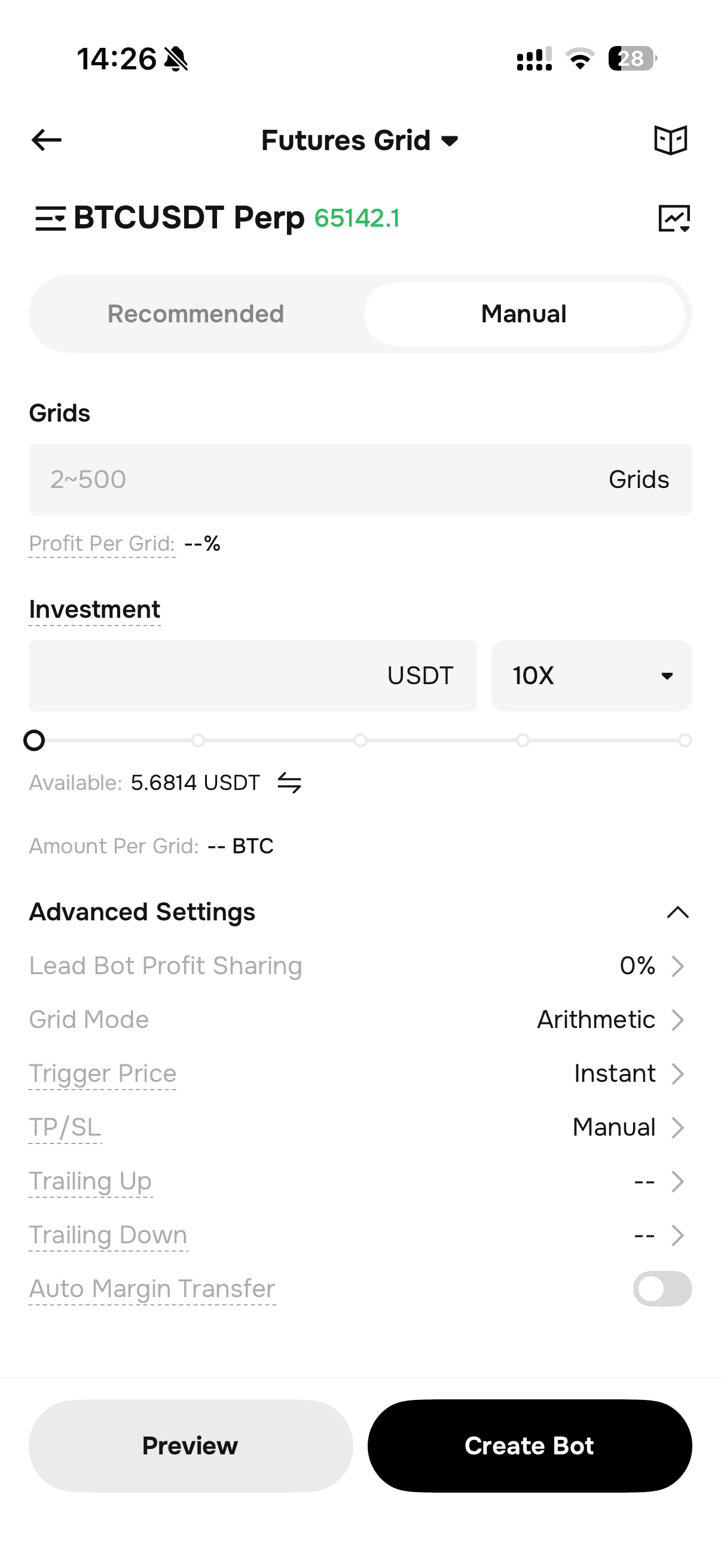
To create your own Futures Grid Bot from scratch, tap 'Futures Grid' on the Trading Bots page to be directed to the. Switch to the manual, select from three strategy options – neutral, long, or short – based on your interpretation of market conditions. Fill out the specific parameters including Price Range, Grids, and Investment amount in USDT. Advanced Settings are available for further customization. When you are satisfied with all parameters, click 'Create' to activate your trading bot.
-
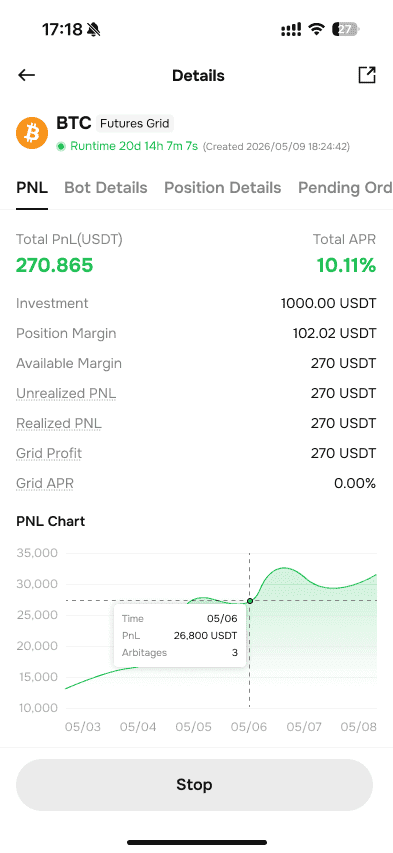
Check the status of active trading bots that you're running by tapping "My Running Bots" on bot trading homepage and tapping "Details" for detailed information.
-
On the 'Details' page, you can see the status of the trading bots, including returns, position details, orders, and history. To deactivate an active trading bot, simply click 'Stop' in the 'Active' window.
Congratulations, you now know how to use the futures grid trading bots feature on Phemex App. For more information, feel free to check out the following articles – What are Crypto Trading Bots & How Does Grid Trading Work for Futures Contracts.
Please note that grid trading does come with risks, so make sure you perform adequate research beforehand and conduct strict risk management before trading.
Hope you enjoy using grid trading bots on Phemex!
 Submit Ticket