








What is the Prediction Market?
A prediction market is a market where users trade on the outcome of future events — such as whether BTC will reach a certain price, whether an ETF will be approved, or who will win a major sports event.
YES shares and NO shares represent opposite views on an event outcome. Share prices reflect real-time market probability and move continuously based on buying and selling activity.
How do I get started?
Step 1: Log in to your Phemex account
Log in using your main account. Sub-accounts are not supported for prediction market trading.
Step 2: Transfer USDT to your spot account
Prediction market trading requires USDT in your spot account. Transfer funds from your main or other accounts before placing an order.
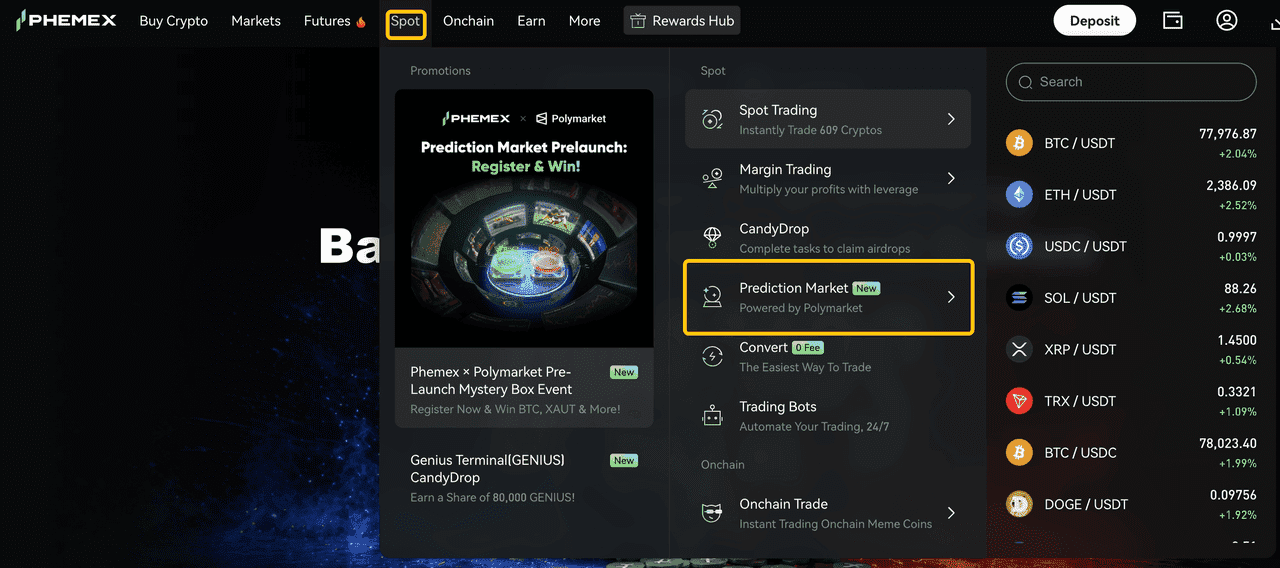
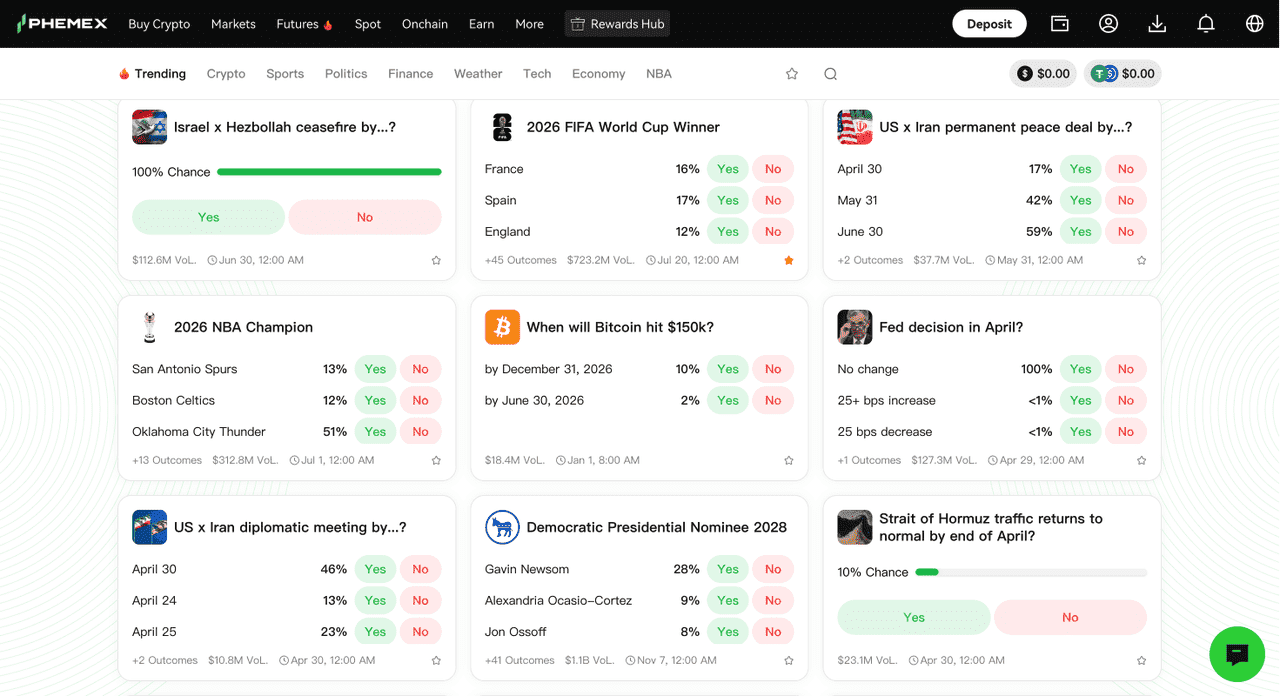
Step 3: Enter Prediction Market and Select an Event
Browse available markets from the homepage or market list. Before trading, review the event title, YES / NO prices, market end time, and resolution criteria.
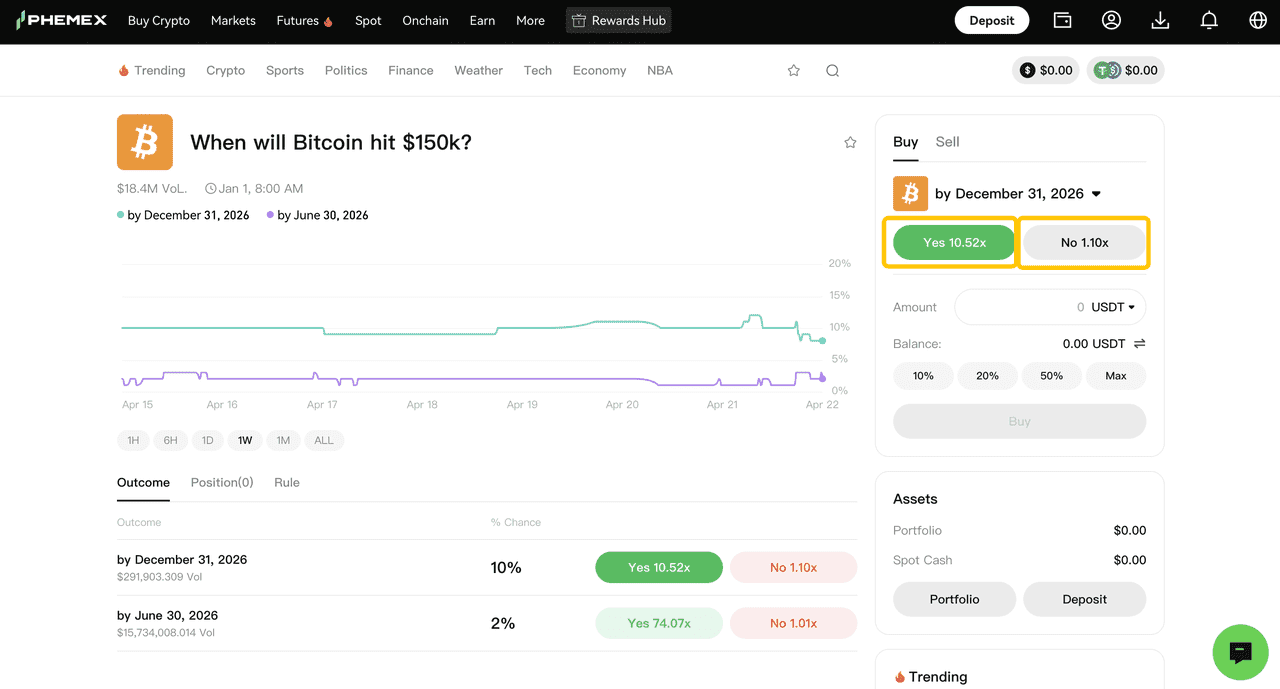
Step 4: Buy YES or NO shares based on your view
Buy YES shares if you think the event will occur; buy NO shares if you think it will not. Enter your amount, review the order details, and confirm.
Step 5: Hold or exit early
Hold your position through settlement once the event outcome is confirmed, or sell your shares at the current market price before the event resolves if early exit is available.
How do I read a market page?
Step 1: Check the event title
This is the exact question the market is asking (e.g., "Will BTC be above $100,000 on June 30?"). The wording defines what you're trading on.
Step 2: Compare YES / NO prices
These are the current market prices for each outcome. A higher YES price means the market leans toward the event happening. Prices reflect market expectation, not guaranteed outcomes.
Step 3: Note the market end time
This is when trading stops and the market enters the resolution phase.
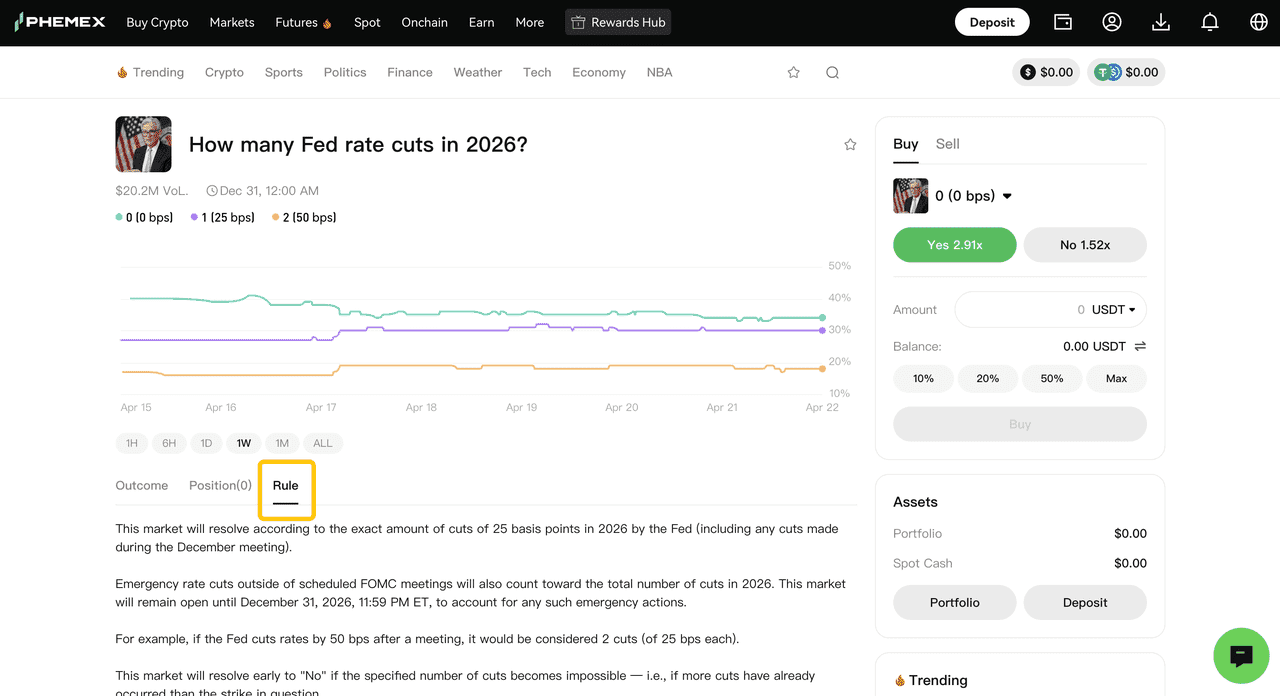
Step 4: Read the rules
The rules define what outcome triggers YES or NO, which public sources are used, and how disputed cases are handled. Always read this before trading.
Step 5: Check volume and liquidity
Higher volume means more participants and tighter spreads. Low-liquidity markets may have more slippage or slower fills.
How does settlement work?
Step 1: Market reaches its end time
Trading stops and the market enters the resolution phase. Trading may be restricted or unavailable before settlement due to liquidity constraints.
Step 2: Outcome is confirmed
The result is determined by the market's published resolution criteria and designated public sources — not by Phemex or any single user. Some events require official confirmation or published data, so this step may take time.
Step 3: Positions settle
If the event resolves in your favor, your YES or NO positions settle according to the market's published rules. If it resolves against your view, positions may lose value per the same rules.
Step 4: Disputes (if any) are handled
If you have concerns about a specific outcome, disputes are handled under Polymarket's resolution process.
Why wasn't my order filled, or why can't I trade a market?
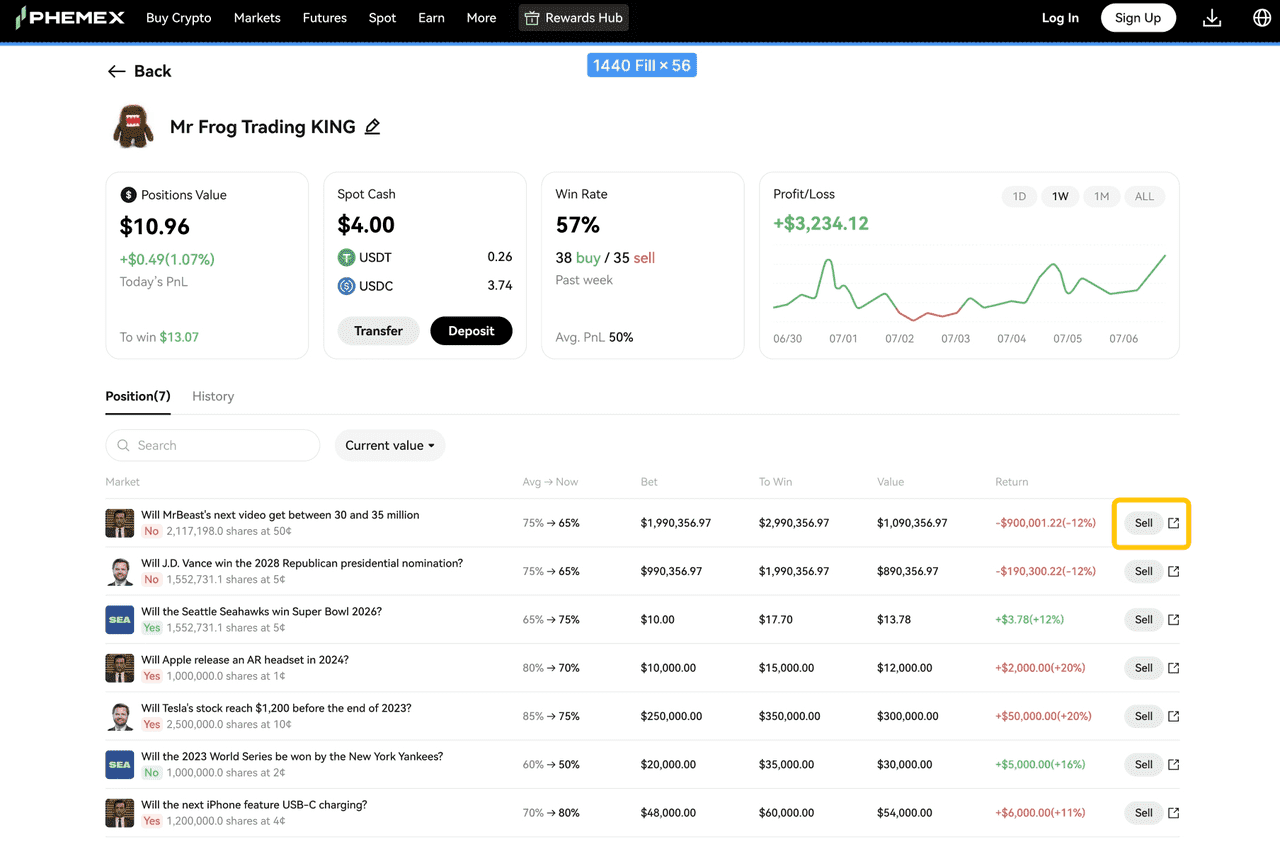
After buying, you can view your position, add to it, sell before settlement, or hold to final settlement. Your actual profit or loss depends on whether your side is correct, the change between your entry and exit price, and market liquidity.
Orders may not fill immediately due to:
-
Rapidly moving prices or insufficient liquidity
-
Your order price not matching currently tradable prices
-
The market being in a paused, resolving, or non-tradable state
-
Short delays in network or API synchronization
If your order is unfilled, try refreshing the page, adjusting your price or amount, or checking the market status. Some markets may be unavailable because they are closed, ended, fully settled, paused, or restricted by region or account eligibility.
What are the risks?
Prediction markets do not guarantee profits. Key risks include:
-
Outcome risk — your view on the event may be wrong.
-
Rule interpretation risk — misreading the resolution criteria may lead to unexpected settlement results.
-
Volatility risk — prices can move sharply in a short period, especially near the resolution date or during breaking news.
-
Liquidity risk — limited market depth can lead to difficult fills, price deviation, or higher exit costs.
-
Timing risk — there may be a delay between external events, news releases, and API data updates.
-
Technical risk — including network interruptions, API delays, or temporary unavailability of third-party data.
Only use funds you can afford to lose. If you are new to prediction markets: start with topics you already understand, read the resolution criteria before every trade, prefer markets with stronger liquidity, and start with a small amount.
Frequently Asked Questions
Q: What's the difference between a prediction market and regular spot or futures trading?
A: In a prediction market, you trade on the outcome of a future event (yes or no), not on price movement. Each share settles at a fixed value once the event is confirmed, so your maximum gain and loss are known upfront.
Q: How are YES and NO prices determined?
A: Prices are set by real-time supply and demand. They roughly reflect the market's estimated probability of the event happening — a YES price near 0.65 USDT implies about a 65% market-implied chance.
Q: Can I sell my position before the event resolves?
A: Yes, in most cases. You can sell YES or NO shares at the current market price before settlement if liquidity is available. Some markets may restrict trading as they approach resolution.
Q: When will I receive my settlement after an event ends?
A: Settlement begins once the outcome is confirmed by the market's designated public sources. This usually happens shortly after the market end time, but some events require official confirmation or published data and may take longer.
Q: Are there any fees for prediction market trading?
A: Yes. Fees may include trading fees and implicit costs from the bid-ask spread. The total cost is shown on the order confirmation screen before you place the order.
 Submit Ticket